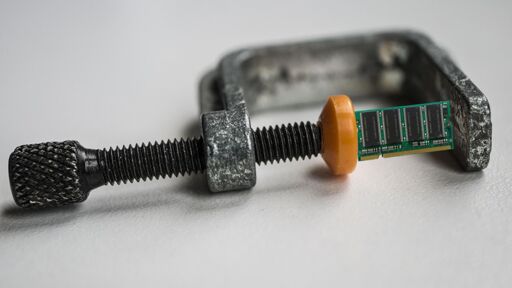
Aww yeah! Time to CRAM some memory!
Compressed RAM
Finally! I can download more RAM!
So there are some benefits to the ram crisis? People actually optimize things because of limited resources.
When I was in computer science in college back in the 1900s, they told us that the USSR was responsible for some of the best algorithms still in use at the time (both for RAM and CPU usage) because they just had less to work with.
Guess we’re all in that boat now.
This is still just a bandaid over running 10 copies of chromium for each electron app.
You know it’s getting weird out there when Meta seems to be doing something that’s actually useful.
Whenever big tech companies like Meta do useful things like support Overture Maps Foundation (which is also supported by Microsoft and Amazon) they are doing it to blunt some competitive advantage another tech company has, such as google in this case. They support open source insofar as they can’t monetize whatever they are open sourcing.
The Zukkk is that petty of a “real human bean”
ZSTD and BYRFS, among many other smaller things, hello?
They’ve been doing useful engineering things since the start, it’s just that it pales in comparison to all the bad things
They only did a few useful things to be more efficient in doing the bad things
Small performance improvements translate into large savings when you got millions of servers.
Necessity is the mother of invention.
This is very true, cheap RAM and storage just lead to inefficient, bloated code.
That certainly seems to be a genre of article right now.
Cloudflare frees up 100TB of RAM by shrinking 1.1.1.1’s DNS cache entries
MSI promises an EXPO ULL-like boost for your existing DDR5 memory
Microsoft vows to make Windows 11 fly on 8GB RAM amid memory shortage
Does it count as optimization? For supported hardware, it’s certainly cool. But it’s not making inefficient software better, it’s making better use of the hardware.
So using the back of a knife to cut something is not more efficient than using the sharp side? I would say making better use of hardware is also an efficiency gain. You use the same hardware to do more, while not driving up cost significantly. That is efficiency in my book.
It’s not using the same hardware, this seems to use a special compression chip.
To me this feels more like the benefits of a CPU or GPU upgrade. Things run faster, but not due to software improvements. When people talk about things getting optimized due to the high RAM prices, I think most people are referring to software improvements.
Sounds like optimisation.
Wait I think I’ve already been here

And I was remembering Drivespace and Stacker.
Ram compression called CRAM? I’m sold
Desperately looks for a cranberry pun…
The person who came up with this acronym is probably proud of their work lol
Now the fun part. What would Microsoft name it?
Copilot
CRAP
( C )opilot ( R )AM ( A )utomated ( P )owerup
MSCrap
I 'member when microsoft ripped off stacker and called it drivespace.
As I recall they bought themselves out of it for a measly $100k and renamed it doublespace.
Microsoft MemoryOne X Expansion Framework Subsystem. And it would require 64GB of RAM to do the compression, thus defeating the purpose of it existing in the first place, would break whenever the Edge browser updates for no discernible reason, and would about once a year cause your Documents folder to disappear.
How dare you! Microsoft would never publish software that utilizes system resources so well.
cram it all in there!
Desperately looking for a cranberry pun…
Title is a bit misleading, and I think intentionally, which kinda irks me. It isn’t a 400x speedup of RAM by means of compression. If I understood correctly, it’s 400x speedup compared to disk read for swap.
Please correct me if I’m wrong here. I’d love some positive news from the IT world that isn’t depressive. (edit: I implied this wasn’t. It is. I’m just not sure of the actual impact)
It’s a little better than your read. The ~400x speedup is in comparison to using ZRAM, which, in very brief terms, compresses memory by creating an in-memory compressed block device and assigning that as your swap space. So your “swap” is actually a compressed chunk of RAM, not on disk.
This was significantly slower than normal memory access because page faulting when looking up something in memory then fetching from swap was, itself, expensive. Regardless of how fast that swap was. When your swap is on a storage device that overhead is comparatively tiny, but when it’s just another chunk of memory suddenly it’s what you’re spending most of your time on.
Fuck yea, RAM swap? I bought both my laptop and desktop when RAM was cheap, and got more memory than I needed. I can safely allocate like 12GB to CRAM!
The win from CRAM is that it is not swap, and operates using mostly normal RAM semantics. If it works as advertised you should be able to allocate most (all?!) of your RAM as CRAM.
I would guess this is only useful in servers, as for day to day use you ideally want the lowest latency you can for responsiveness. That said, if there’s a way you can specify which type processes can use, that may be useful in some cases
Depends on the workload. This probably would not be great for gaming or audio production, but it might be for video editing and local LLMs
And for gluttonous browsers and browser-based apps
I’m not sure if this is misleading at all. If anything, they should have mentioned compared to ZRAM. Title is incomplete, but I don’t think it is intentionally misleading here. It just looks like they expect the reader to know CRAM is a replacement for ZRAM. The new compression method CRAM with over 400x speedup is compared to ZRAM method:
A new compression model, called CRAM, offers a different path to compression that avoids swap entirely by keeping the compressed data in memory, and it offers up to 452x the performance of ZRAM.
Because CRAM is stored in RAM and treated as RAM, with full cacheline/byte access, it can be accessed in a read-only fashion with little delay; just the cost of hardware-offloaded compression. As a result, CRAM “runs at DRAM speed,” as the creator says in the slide above. While the graph already looks impressive, it’s a logarithmic scale; CRAM, in the worst case, is doing 489 million operations per second versus ZRAM’s 1.1 million. It’s barely comparable.
Even when you enable writes, CRAM is still much faster than ZRAM; 5.4x in the worst tested case of 20% writes. That’s a huge drop from the 452x read-only case, but keep your context; a 5.4x speedup is still titanic.
Is writes enabled CRAM / ZRAM common? If so, then the post title is definitely misleading.
Let me use my Raspberry Pi 3b as a practical example of what @vithigar@lemmy.ca was explaining. I run PiHole + Unbound on the Raspberry Pi 3b, with 1GB of ram. The main killer for a little Pi 3b is reading and writing to the SD card. We want to avoid that as much as possible. Block lists get updated weekly, so that’s no big deal, but there is still a lot of traffic information that is being kept track of. The solution is to load all of that into zram. As you can imagine, on a slow and resource constrained system like a Pi 3b, any performance enhancement has a huge impact. A 452x performance increase over ZRAM on a system that mostly lives on ZRAM is massive.
I am not entirely sure about this but I imagine that this is also massive news for live operating systems like Tails and Kali Live.
Download more RAM
But you need a CXL device which does the (de)compression in hardware between the CPU and RAM?
So, from what i’ve got from the comments; instead of doing swap shenanigans except in RAM like ZRAM (which slows it down), it just compresses content to a separate portion of RAM and points there?
I was dabbling in pricing a Slimbook last night and the price of RAM made me cry.
i regret not getting mine just before the ai prices hit.
What are the real world effects of this? E.g. for gaming etc.
(Note: I could be wrong) Games would run worse if you needed to access this memory. This technology is for making a more efficient swap space than a hard disk, not for speeding up regular memory usage.
None, your current hardware lacks support for this.
What are the requirements?
In the presentation, they talk about a compression chip: https://www.youtube.com/live/OPRciCSsdS4?t=2060
If you’re running out of RAM you can use the faster CRAM instead of ZRAM which itself is already much faster than swap. Basically you can fit more data into your RAM